Pricing option types
Add-on quantities for extras sold by the unit, and price formulas for made-to-measure prices.
Quick answer
The 2 Pricing option types work out a price from what the shopper enters. Add-on quantity lists extras, each with its own − and + quantity, and charges each value's price times its quantity. Price formula adds a price calculated from other answers, like width × height × a rate, with an optional minimum charge.
Last updated
Pricing options work out a price from what the shopper enters, instead of a fixed price per value.
All Pricing types
Add-on quantity
Extras with a +/− quantity each
Each value gets its own − and + quantity. Its price is multiplied by the quantity chosen. A new add-on quantity allows up to 10 of each.
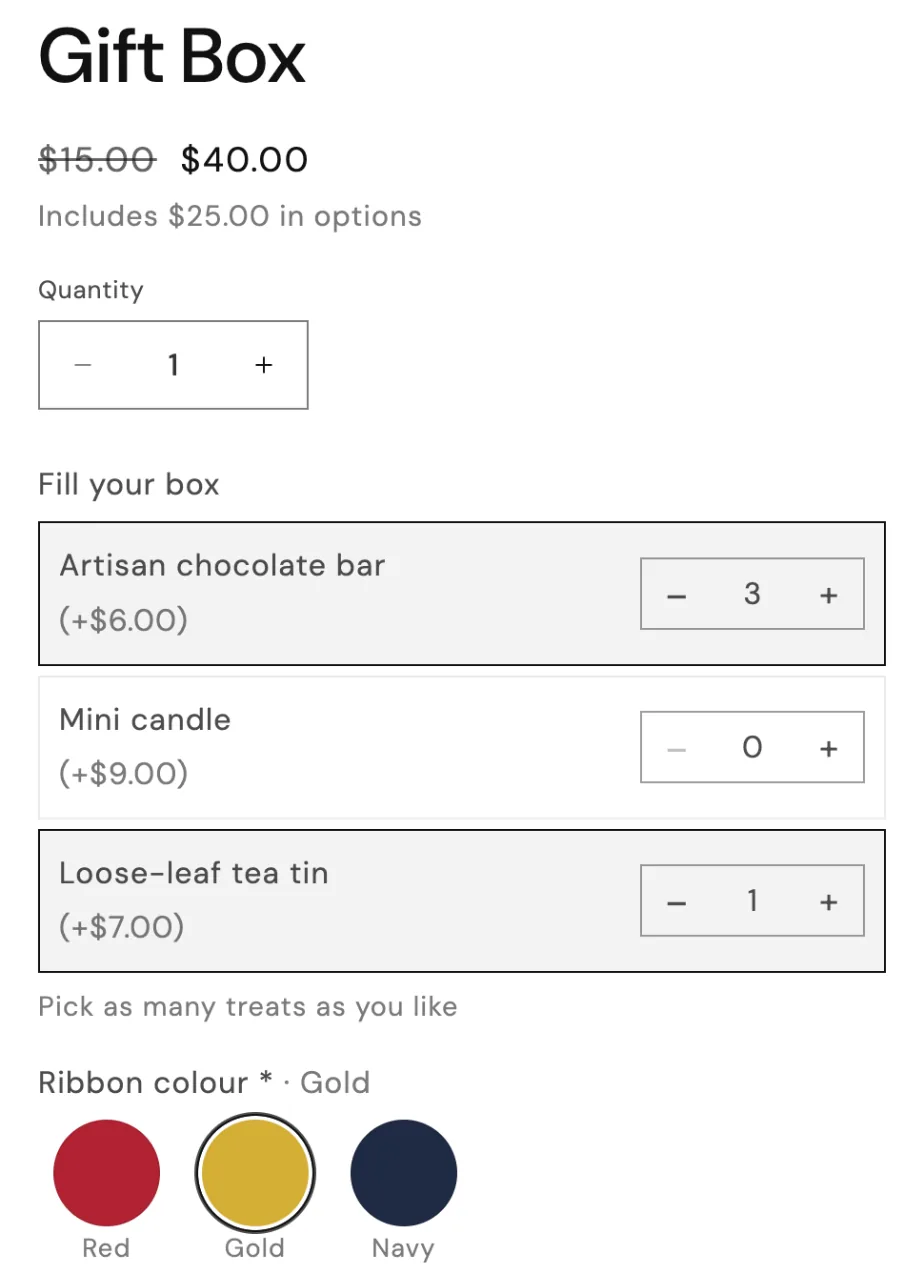
In the editor
- Label
- Help text (optional)
- Max quantity per add-on
- Required
- Values and prices: a name, a fixed or percentage price, and Default, plus an image per value
- Width (Full width, Half or Third)
- Picture shape, Picture size
- Choices per row
- Conditions
- Advanced: Tooltip, Charge once per order line
Price formula
Price from sizes, like width × height
Works out a price from other options, like width × height. See Price formulas.
In the editor
- Label
- Help text (optional)
- Formula, with a Try it calculator
- Width (Full width, Half or Third)
- Conditions
- Advanced: Tooltip, Charge once per order line
Stuck on something?
Check Troubleshooting, or email us with your store URL and we’ll help.
Email support