Shopify product add-ons: charge extra for options
Charge for options with fixed or percentage prices, a fee when a field is filled in, quantities or formulas.
Quick answer
Any option a shopper answers can cost extra: a fixed amount, a percentage of the selected variant's price, a fee when a field is filled in, a price per unit, or a formula. The product page shows the price as shoppers choose. At checkout a Shopify cart function adds the options to the product price, on every Shopify plan.
Last updated
Any option a shopper answers can cost extra. Prices are added to the product price, and Shopify charges them at checkout on every plan.
Ways to charge
| Price | Where you set it | What the shopper pays |
|---|---|---|
| Fixed amount | A value's Price in a Choice option | That amount when the value is chosen. |
| Percentage | A value's Price, switched to percentage | That percentage of the selected variant's price, up to 100%. |
| Fee when filled in | Price when filled in on an Input option | A flat amount when the shopper fills the field in (or uploads a file). |
| Per unit | Value prices in an Add-on quantity option | Each value's price times the quantity chosen. |
| Formula | A Price formula option | The result of the formula. See Price formulas. |
Charge once per order line
By default a price is charged for every unit in the cart line. Under Advanced, Charge once per order line adds the price once, however many units the customer buys. Checkout spreads it across the units, rounded down to the cent, so a $5.00 fee on 3 units adds 3 × $1.66 = $4.98: never more than the shopper was shown.
What shoppers see
Three switches under Price display in Settings control this. All three are on to start with.
| Setting | Example |
|---|---|
| Show price next to values | Premium (+$12.00) |
| Show options total under the price | Includes $27.00 in options |
| Update the product price live | $120.00 → $147.00 as customers choose |
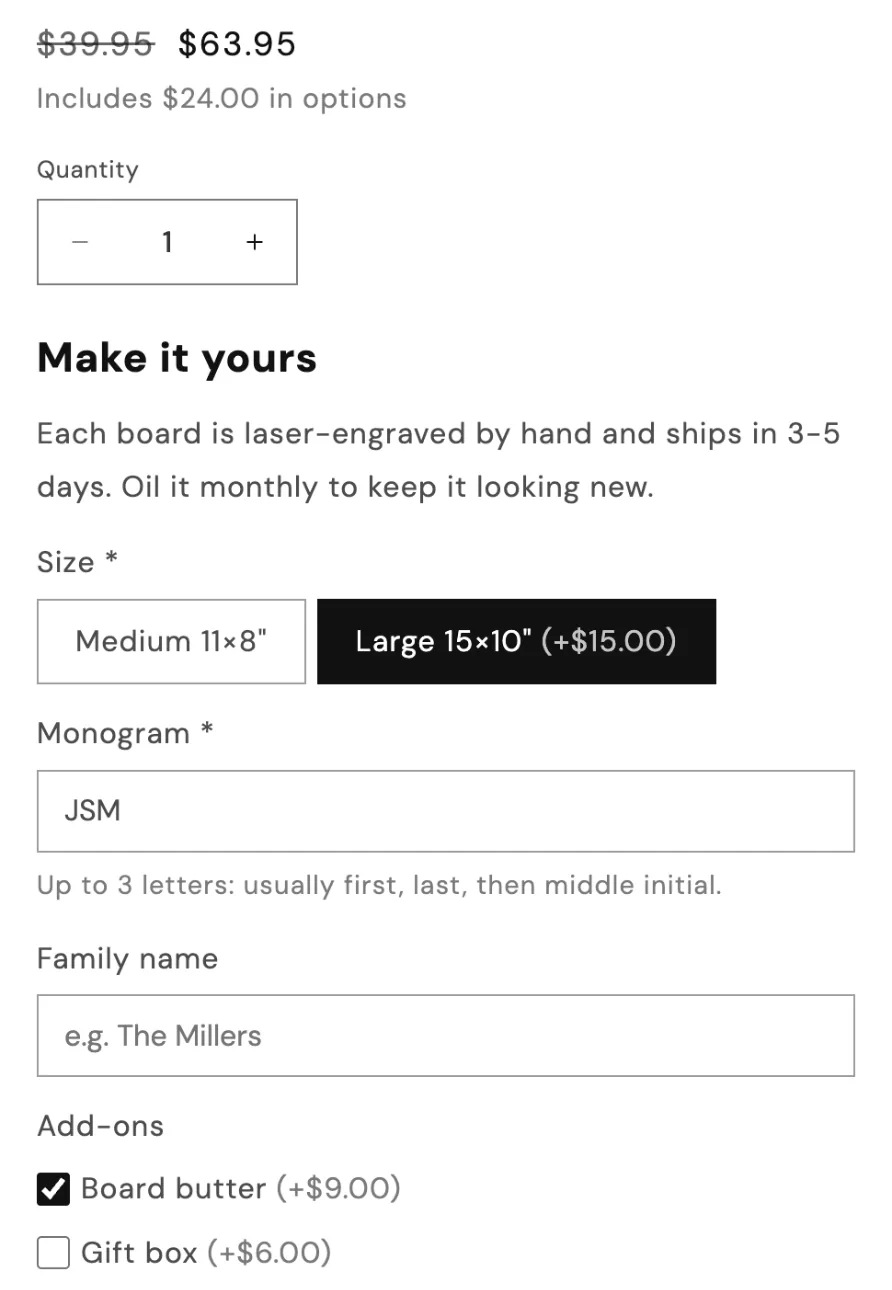
You can reword “Includes {amount} in options” and “when filled” under Storefront text in Settings.
How are add-on prices charged?
When a shopper adds to cart, only their choices are sent, not the prices. A Shopify cart function then works out the add-on price from the options you saved and reprices the line to the product price plus the options. The same total shows in the cart, at checkout and on the order, and someone editing the product page in their browser can't change what they pay.
- It works on every Shopify plan. It doesn't need Shopify Plus.
- The function ignores values that don't belong to the product, counts a value once even if it's sent twice, and keeps one value per single-choice option.
- Add-on quantities are never charged above the option's maximum.
If Home says “Add-on prices aren’t being charged”
The pricing function isn't active on your store, so shoppers pay the product price only. Click Turn on pricing in that banner. If that doesn't work, reinstall the app or contact support.
Do discounts apply to option prices?
Discounts apply after option prices are added, so a 10% discount code or automatic discount also takes 10% off the options. Buy X Get Y and free-gift discounts work on the whole line, options included.
How do option prices work in other currencies?
When you sell in more than one currency, fixed prices are converted at Shopify's rate for the shopper's currency, and percentages follow the variant's converted price.
Do option prices work with subscriptions?
No, not the paid ones. Shopify doesn't let apps add prices to subscription lines. When a shopper picks a subscription (selling plan), options that cost extra are hidden and a short note explains why. Free options still show.
Stuck on something?
Check Troubleshooting, or email us with your store URL and we’ll help.
Email support