Quick answer
Add a Switches option labeled Gift wrap with one value, Add gift wrap, priced at 5. Then add a Multi-line text option for the gift message, with a rule that shows it only when Gift wrap is Add gift wrap. Shoppers who skip gift wrap never see the message box and pay nothing extra.
Last updated
You'll add a Gift wrap switch for $5 and a Gift message box that only shows once gift wrap is turned on. Hidden options aren't sent with the cart, so shoppers who skip gift wrap never see or pay for the message.
What you’ll build
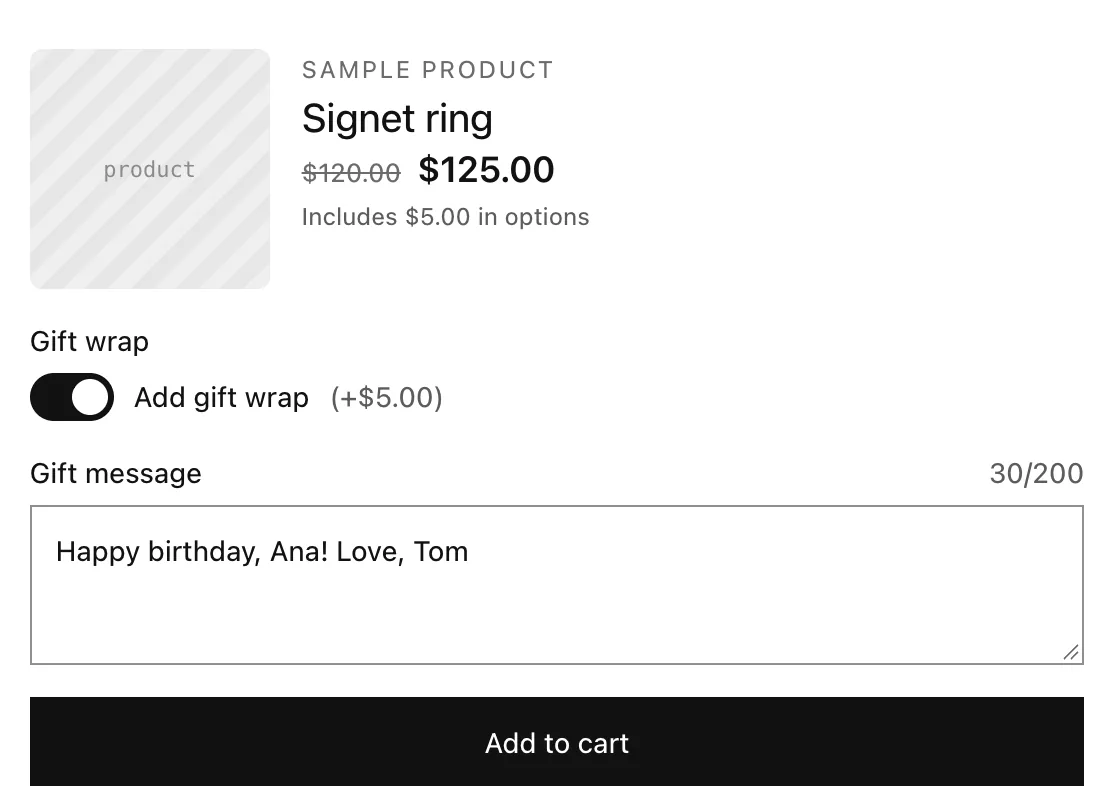
Step 1: Add the gift wrap switch
- In an option set (or a product's options), click Add option and choose Switches.
- Label: “Gift wrap”.
- Under Values and prices, name the value “Add gift wrap” and set its Price to 5.
Step 2: Add the gift message
- Click Add option and choose Multi-line text.
- Label: “Gift message”. Placeholder: “Happy birthday!”.
- Max characters: 200.
Step 3: Show the message only with gift wrap
- In the Gift message option, under Conditions, click Add rule.
- When: “Gift wrap”, is, value “Add gift wrap”.
Turn Required on for the message if every wrapped gift needs one: required options only have to be answered when they're shown.
Step 4: Activate and save
- Set Status to Active, choose where it applies under Applies to, and click Save.